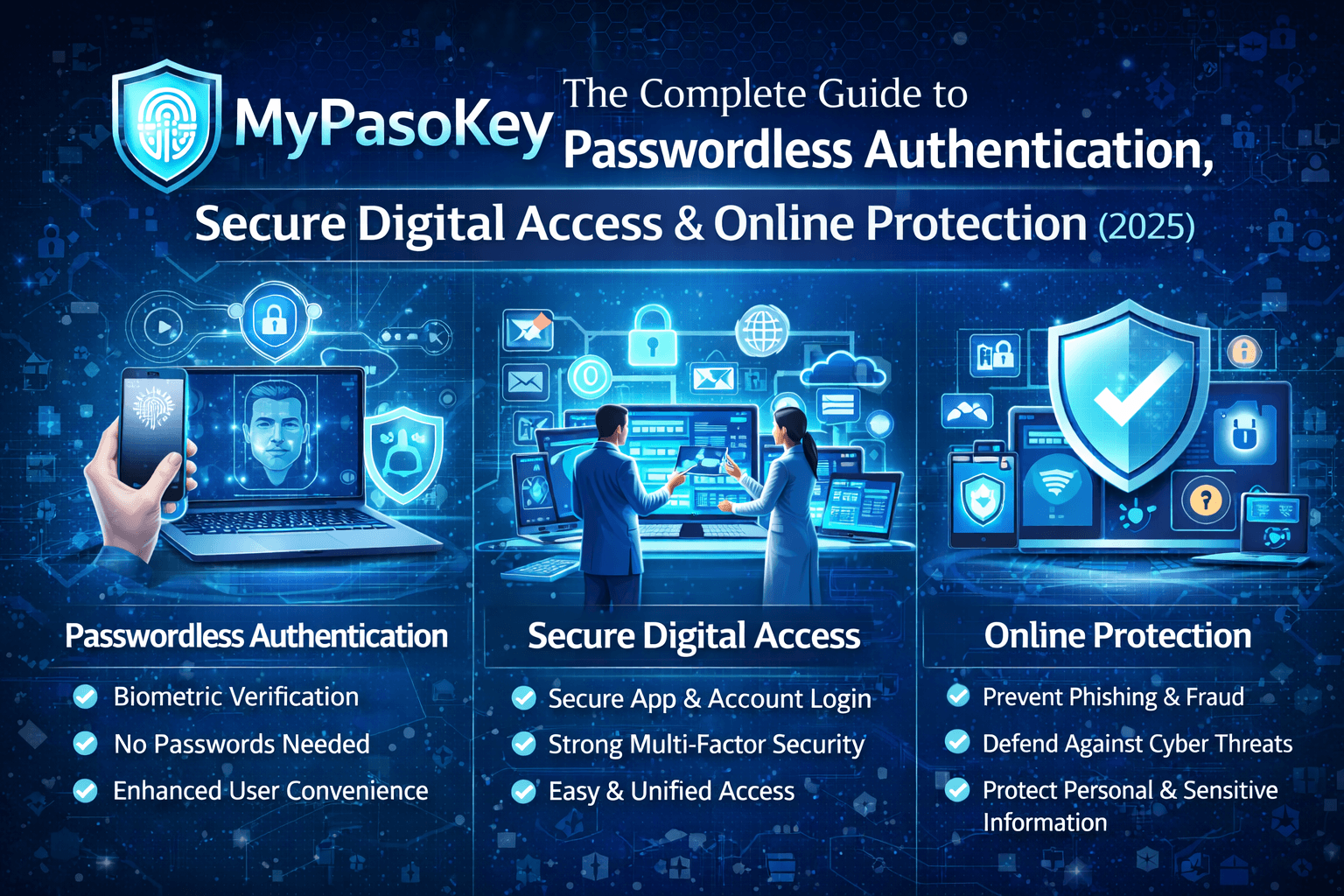
Introduction to MyPasoKey
The digital era demands stronger, easier, and more secure ways to authenticate user identities. MyPasoKey claims to be one such innovation — offering users a way to log in to a wide range of online accounts without the hassle of remembering dozens of passwords.
Rather than traditional keywords stored insecurely across websites, MyPasoKey proposes a shift to a single secure digital key stored locally or within encrypted systems. This shift aligns with broader trends in the tech industry toward passkeys and passwordless login systems.
Understanding MyPasoKey in the Digital Era
The number of digital accounts the average person manages has exploded over the past decade. With every new service comes a new username and password — often created hastily and reused across platforms.
According to cybersecurity reports, password reuse and weak password habits contribute significantly to security incidents worldwide, with millions of credentials leaked in compromised databases each year. This has driven the move toward better authentication solutions that reduce reliance on passwords altogether.
MyPasoKey fits into this new paradigm by offering a centralized authentication system that integrates secure, cryptographic techniques with user-friendly login flows.
Why Digital Security Matters More Than Ever
Cybercrime has grown into a multi-billion-dollar industry, and user authentication lies at its core. Weak or stolen passwords remain one of the most common causes of breaches, with incidents often arising from credential stuffing, phishing, or brute-force attacks.
Industry studies reveal troubling trends:
- 48% of consumers have experienced account compromise due to password vulnerabilities.
- The average person manages more than 160 passwords across accounts.
- Nearly a quarter of password users reset or recover passwords monthly.
These statistics underline why the security landscape is shifting toward cryptographic authentication systems like passkeys — and by extension, solutions such as MyPasoKey.
What Is MyPasoKey?
At its core, MyPasoKey is a digital authentication system intended to simplify secure access across platforms by eliminating traditional password dependency. Instead of remembering multiple passwords, users rely on a single digital key or credential — ideally protected by advanced security technologies such as biometrics or device-specific hardware.
Unlike traditional passwords — which are static, reused, and easily phished — MyPasoKey aims to use passwordless authentication and cryptographic techniques that make unauthorized access significantly harder.
Though the precise implementation details vary by platform, MyPasoKey generally follows principles similar to modern passkey systems, which use public-private key pairs to authenticate users securely.
What Is a Pasokey?
The term pasokey can be seen as a combination of passkey and key, representing a modern alternative to traditional passwords.
In the broader cybersecurity context, passkeys are an authentication method based on public-key cryptography:
- A public key is stored on a service provider’s server.
- A private key remains securely stored on the user’s device.
This eliminates the need for a password string that could be stolen or guessed.
Passkeys and pasokeys both aim to replace passwords with stronger, phishing-resistant authentication credentials.
How MyPasoKey Works
The practical steps behind how MyPasoKey works involve several key components commonly used in secure authentication today:
- User Registration:
During initial setup, MyPasoKey generates a unique digital identity tied to the user’s device or account. - Key Creation:
A secure cryptographic key pair is generated: one part stored publicly (on servers), and one securely on the user’s device. - Device Verification:
Each sign-in request is authenticated by verifying the presence of the private key on an authorized device. - Multi-Layered Protection:
Authentication can be strengthened with device biometrics (fingerprint, face scan), PINs, or additional two-factor verification. - Real-Time Validation:
Login attempts are evaluated in real time, preventing session replay or unauthorized access.
Unlike passwords — stored centrally and vulnerable to leaks — cryptographic approaches ensure that even if database records are compromised, attackers cannot reconstruct the private key needed for authentication.
Encryption & Secure Token Validation
Public-key cryptography is at the heart of passwordless systems. Instead of transferring sensitive credentials over the network, encrypted challenges and responses enable secure verification without exposing anything that could be used by attackers.
This approach also eliminates reliance on shared secrets — a password that exists in multiple places — and reduces the attack surface significantly.
Multi-Factor Authentication (MFA) Support
MyPasoKey can integrate with MFA by combining:
- Something you have: Your device with the private key.
- Something you are: Biometrics such as fingerprint or face recognition.
- Something you know: A PIN or local unlock code.
This layered security is far more robust than a standalone password and aligns with best practices in cybersecurity.
Device & Platform Verification
Because MyPasoKey’s digital identity is tied to a device and cryptographic key, login attempts can also be verified based on device health or location, adding another layer of adaptive risk control.
Key Features of MyPasoKey
Here’s how MyPasoKey distinguishes itself as a modern authentication solution:
Centralized Access Management
Instead of managing dozens of unique passwords, MyPasoKey allows users to manage access permissions through one central system. This dramatically reduces password fatigue and human error.
Enhanced Security Protocols
Using encryption and public-key cryptography, MyPasoKey minimizes common vulnerabilities such as credential reuse, phishing, and brute-force attacks. Modern passkey systems have been shown to be phishing-resistant due to the cryptographic nature of their design.
User-Friendly Interface
Despite the complexity of underlying technologies, MyPasoKey aims to simplify the user experience. Logging in becomes as easy as unlocking a device — no passwords to type or remember.
Cross-Platform Compatibility
While not every application supports passwordless systems yet, major platforms and operating systems increasingly adopt passkey protocols, making cross-device login smoother. Major tech players like Google, Apple, and Microsoft are cultivating support for passkeys, making them accessible across desktops, tablets, and smartphones.
Passwordless Login Experience
Eliminating passwords means users no longer deal with resets, reused credentials, or insecure storage of plaintext passwords.
Benefits of Using MyPasoKey
Adopting MyPasoKey offers several clear advantages:
Reduced Password Fatigue
Remembering multiple passwords is a thing of the past. By consolidating authentication into one secure system, users save mental and operational effort.
Improved Productivity & Faster Logins
Without repeated password entry, login flows become faster and less disruptive — especially beneficial in enterprise settings or frequent authentication environments.
Lower Risk of Cyber Attacks
Because passkeys and similar systems do not expose reusable passwords, the attack surface shrinks dramatically.
For instance, password breaches often account for a high percentage of account compromises — with some studies estimating weak or stolen passwords to be involved in over 80% of breaches
Better User Experience
Users benefit from a seamless and frictionless sign-in process that reduces frustration and increases satisfaction — a critical factor for both consumer and business applications.
MyPasoKey vs Traditional Password Systems
Traditional passwords are vulnerable due to:
- Weak choices by users
- Reuse across multiple sites
- Easy phishing targets
- Server storage that can be compromised
In contrast, MyPasoKey eliminates these vulnerabilities by removing shared secrets and emphasizing cryptographic authentication.
Moreover, passkey systems — which MyPasoKey aligns with — are being actively promoted by governments and industry groups as the future of authentication. For example, Germany’s national cybersecurity agency is advocating for passkeys to replace passwords due to their phishing resistance and user-friendly nature.
MyPasoKey for Individuals
For personal users, MyPasoKey can protect:
- Email accounts
- Cloud storage
- Social media
- Financial services
- E-commerce platforms
Users no longer have to worry about remembering or managing countless passwords, reducing the likelihood of insecure habits like reuse or predictable choices.
MyPasoKey for Businesses & Organizations
Organizations face even greater security risks due to employee access to sensitive systems.
With MyPasoKey:
- Access can be centrally managed
- Dynamic policies set for user groups
- MFA and device restrictions enforced
- Compliance with data protection standards supported
Enterprises adopting passwordless systems often report reduced helpdesk costs and fewer account lockouts — common pain points in large IT environments.
Common Use Cases of MyPasoKey
MyPasoKey can be applied to:
- Personal online accounts
- Corporate login portals
- Cloud application suites
- Secure subscription services
- IoT and smart device ecosystems
Privacy and Data Protection with MyPasoKey
Sensitive information in MyPasoKey systems is encrypted at rest and in transit. Unlike traditional password databases — which can leak entire credential sets — passwordless systems only store public keys, which are useless without their paired private key stored securely on the user’s device. This dramatically reduces privacy risk.
How to Create a Pasokey Using MyPasoKey
While the exact steps depend on the platform, basic steps are:
- Go to your security settings on the target platform.
- Choose the option labeled “Create Pasokey,” “Set up MyPasoKey,” or similar.
- Follow prompts to register your device and authenticate (often with biometrics).
- Save your pasokey securely — often backed up to secure cloud keychains.
This workflow resembles how passkeys are created on many modern systems.
Tips for Choosing a Strong & Unique Pasokey
Best practices include:
- Using device biometrics for authenticity
- Avoiding shared credentials
- Keeping secondary authentication methods secured
- Backing up keys to trusted password managers when supported
Keeping Your Information Safe with MyPasoKey
Beyond setup:
- Regularly update your authentication devices
- Monitor account access logs
- Enable notifications for unusual sign-in attempts
Proactive practices significantly reduce risk even with strong authentication mechanisms.
Alternatives to Using MyPasoKey
If MyPasoKey isn’t available or suitable, others include:
- Password Managers: Tools that store and generate secure passwords.
- Two-Factor Authentication (2FA): Adds another layer beyond passwords.
- Biometric Authentication: Uses fingerprints or facial scans.
- Hardware Security Tokens: Like USB keys for strong login protection.
Each has strengths and limitations, but passwordless systems generally provide stronger phishing resistance and convenience.
Challenges and Limitations of MyPasoKey
- Initial learning curve for users
- Compatibility with older platforms
- Dependency on device security
- Potential lockouts if both device and recovery options are lost
Users should weigh these against benefits and implement fallback systems responsibly.
Future of MyPasoKey & Passwordless Authentication
The trend toward passwordless login is growing rapidly. Major OS ecosystems already support passkeys widely, and adoption is increasing year over year as users recognize security and usability benefits.
Emerging developments may include:
- Broader biometric integration
- AI-driven threat detection
- Secure key syncing across devices without third-party dependencies
Final Thoughts – Is MyPasoKey Worth Using?
Yes. As cybersecurity threats evolve, traditional passwords are increasingly inadequate. Systems like MyPasoKey — rooted in passwordless authentication — provide superior security, convenience, and alignment with modern digital use.
Whether for individual users or businesses, passwordless solutions represent the future of authentication.
Frequently Asked Questions (FAQs)
What is MyPasoKey used for?
MyPasoKey is a passwordless authentication system used to securely sign in to services without traditional passwords.
Is MyPasoKey safe to use?
Yes — by using encrypted key pairs and device-based authentication, it adds layers of protection traditional passwords lack.
Does MyPasoKey replace passwords completely?
In many cases, yes — especially where platforms support passwordless login natively.
Can businesses use MyPasoKey?
Absolutely — many organizations implement passwordless systems for secure employee access.
Is MyPasoKey beginner-friendly?
Yes — designed with usability in mind, though some initial setup is required.
Read more: DADOS AS