Introduction to Image Search Techniques
The internet has become increasingly visual. Every day, billions of images are uploaded, shared, and searched across websites, social media platforms, eCommerce stores, and search engines. Whether you’re shopping online, verifying a photograph, finding the original source of an image, or identifying an unknown object, image search techniques have completely transformed how we discover and interact with visual content.
Unlike traditional text-based searches, modern image search uses Artificial Intelligence (AI), Machine Learning (ML), and Computer Vision to understand the contents of an image. Instead of relying solely on filenames or descriptions, today’s search engines analyze colors, shapes, textures, objects, and patterns to deliver highly relevant results.
Businesses are also embracing visual search at an unprecedented rate. According to industry research, over 90% of information processed by the human brain is visual, and users process images significantly faster than text. Additionally, visual content receives much higher engagement on websites and social media, making image search technology more valuable than ever.
From Google Lens helping shoppers identify products to reverse image search detecting fake news and copyright violations, image search techniques have become an essential part of our digital lives.
In this comprehensive guide, you’ll learn:
- What image search techniques are
- How image search works behind the scenes
- Technologies powering AI-driven visual search
- Different types of image search techniques
- Popular image search tools
- SEO best practices for images
- Real-world applications across industries
- Privacy concerns and ethical considerations
- Future trends shaping image search
Whether you’re a student, marketer, SEO specialist, photographer, researcher, or business owner, understanding image search techniques can improve productivity, enhance online visibility, and help you make better decisions.
What Are Image Search Techniques?
Image search techniques are methods used by search engines and AI systems to locate, identify, compare, and retrieve images based on either textual information or the visual characteristics of an image itself.
Instead of searching only with keywords, users can now upload an image, paste an image URL, or use a smartphone camera to search visually. Search engines analyze the uploaded image using advanced algorithms and return visually or contextually similar results.
These techniques are used every day in:
- Online shopping
- Journalism
- Education
- Healthcare
- Digital marketing
- Law enforcement
- Social media
- Graphic design
- Research
- Brand protection
As AI continues to evolve, image search has become faster, more accurate, and capable of recognizing complex visual patterns that were once impossible for machines to understand.
Definition of Image Search
Image search is the process of finding images or information using either:
- Keywords
- Image uploads
- URLs
- Camera input
- Visual features
Modern search engines no longer rely solely on metadata. They analyze an image’s actual content, allowing users to find similar products, locations, people, logos, or objects even when no descriptive text is available.
For example, if you upload a photo of a pair of sneakers, an image search engine can identify:
- The brand
- Similar products
- Online stores selling them
- Related colors
- Alternative styles
This capability makes image search far more practical than traditional keyword searches in many scenarios.
How Image Search Differs from Text Search
Although both methods aim to retrieve information, they operate differently.
| Text Search | Image Search |
|---|---|
| Uses keywords | Uses visual features and keywords |
| Matches text content | Matches image content |
| Depends on indexing text | Depends on AI, computer vision, and metadata |
| Best for documents | Best for visual information |
| Searches webpages | Searches images and visually similar content |
Text search answers questions through written information, while image search helps users identify, compare, or verify visual content.
For instance, describing a rare flower in words may be difficult, but uploading its photo allows an image search engine to identify it almost instantly.
Why Businesses and Individuals Use Image Search
Image search has become valuable for both personal and professional purposes.
Faster Product Discovery
Online shoppers often see products on social media or in real life without knowing their names.
Instead of describing them, they simply upload a picture to find:
- Similar products
- Prices
- Reviews
- Retailers
This significantly improves the shopping experience.
Image Verification
Journalists and researchers frequently use reverse image search to verify whether a photo:
- Has been edited
- Appeared elsewhere online
- Is authentic
- Has been taken out of context
This helps combat misinformation and fake news.
Copyright Protection
Photographers, artists, and businesses use image search to monitor unauthorized use of their work.
Reverse image search tools help identify websites using copyrighted images without permission.
SEO and Digital Marketing
Businesses optimize images to improve visibility in search engines.
Well-optimized images can:
- Increase website traffic
- Improve user engagement
- Generate additional organic visitors
- Support eCommerce product discovery
Image SEO has become an essential part of modern digital marketing strategies.
How Image Search Works
Behind every image search is a sophisticated process involving artificial intelligence, machine learning, and computer vision.
Instead of “seeing” images like humans do, computers convert visual information into mathematical data that can be compared across billions of indexed images.
Let’s explore each stage.
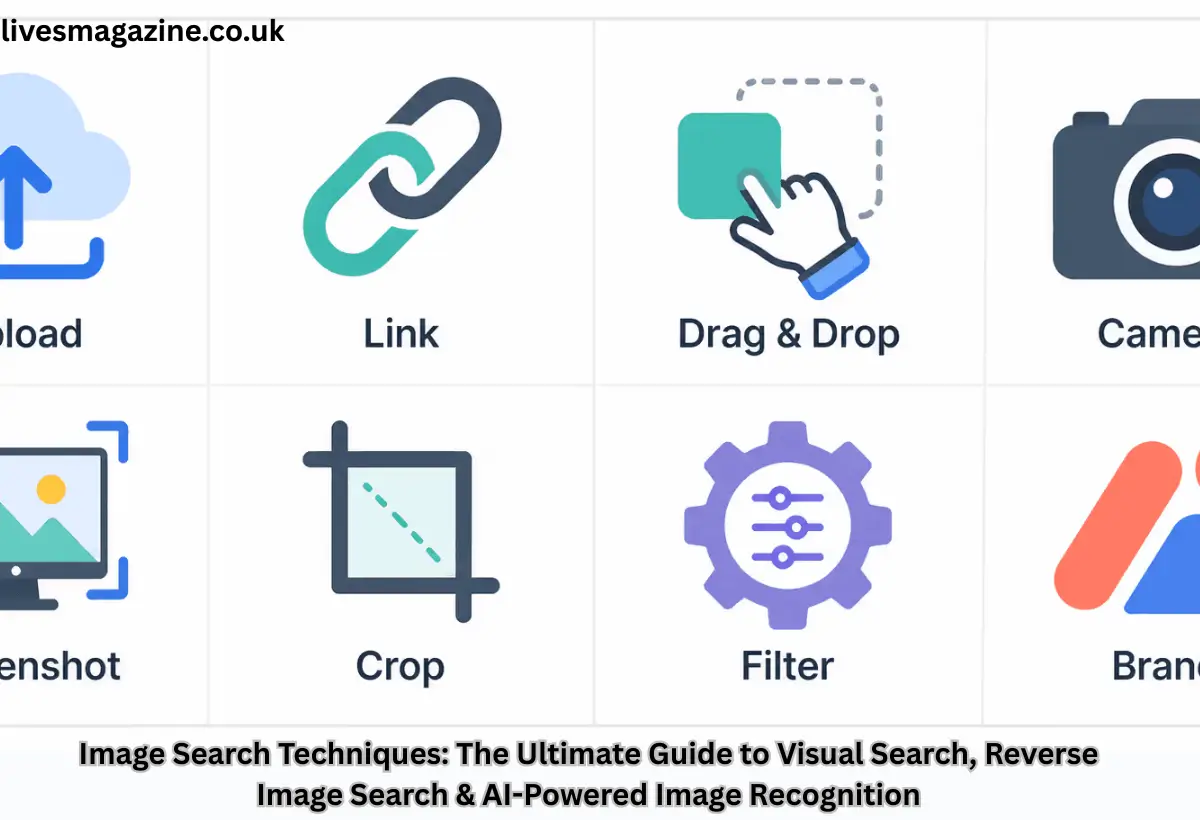
Image Input Methods
Everything begins with an input image.
Users can provide images in several ways:
- Uploading a photo
- Dragging and dropping an image
- Pasting an image URL
- Using a smartphone camera
- Clicking “Search Image”
- Taking a live photo through Google Lens
This image becomes the basis for the search process.
Image Processing
Before comparing images, search engines preprocess the uploaded file.
Typical preprocessing includes:
- Noise reduction
- Image resizing
- Contrast adjustment
- Color normalization
- Edge enhancement
These improvements help AI identify visual patterns more accurately.
Feature Extraction
Feature extraction is one of the most important stages.
Instead of analyzing every pixel individually, AI identifies meaningful visual characteristics such as:
- Colors
- Shapes
- Edges
- Corners
- Textures
- Patterns
- Objects
- Facial features
- Logos
These features create a digital representation of the image.
For example, a picture of a red sports car would generate features related to:
- Vehicle shape
- Wheel positions
- Headlights
- Color distribution
- Body contours
Vector Embeddings
Once features are extracted, they are converted into mathematical vectors.
A vector acts like a fingerprint for the image.
Rather than storing millions of pixels, search engines store these compact numerical representations.
When another image is uploaded, its vector is compared against billions of stored vectors to find similar matches.
This approach enables extremely fast visual searches.
Similarity Matching
The AI compares vector embeddings to determine how visually similar two images are.
Matching considers numerous characteristics, including:
- Overall appearance
- Color similarity
- Object arrangement
- Shape
- Texture
- Patterns
Importantly, image search can identify visually similar images even when they are:
- Cropped
- Rotated
- Resized
- Slightly edited
- Different resolutions
This makes modern visual search remarkably accurate.
Metadata Analysis
While AI analyzes image content, metadata provides additional context.
Search engines examine:
- File names
- Alt text
- Captions
- Page titles
- Structured data
- Nearby text
- Product descriptions
Combining visual recognition with textual context improves search accuracy.
For example, two identical-looking fruits may be distinguished based on surrounding webpage content.
Ranking Algorithms
Once matching images are identified, search engines rank them based on multiple signals.
Common ranking factors include:
- Visual similarity
- Metadata relevance
- Website authority
- Image quality
- User engagement
- Freshness
- Contextual relevance
The most useful and trustworthy results appear at the top.
Displaying Search Results
Finally, search engines display results in an organized interface.
Depending on the platform, users may see:
- Visually similar images
- Exact matches
- Product listings
- Shopping links
- Educational resources
- Related searches
- Source websites
Some platforms also allow filtering by:
- Size
- Color
- Usage rights
- Date
- Image type
These filters make searching even more efficient.
Core Technologies Behind Image Search
Modern image search techniques rely on several advanced technologies working together seamlessly.
Computer Vision
Computer Vision enables machines to interpret and understand visual information.
It allows AI systems to recognize:
- Objects
- Faces
- Animals
- Landscapes
- Text
- Products
- Buildings
Without computer vision, modern image search would not be possible.
Artificial Intelligence (AI)
Artificial Intelligence powers intelligent decision-making throughout the image search process.
AI learns from millions of images, enabling search engines to recognize increasingly complex visual relationships over time.
Machine Learning (ML)
Machine Learning trains algorithms using large datasets.
As more images are analyzed, the system continually improves its ability to identify objects and deliver more accurate search results.
Deep Learning
Deep learning uses multi-layered neural networks to process complex visual information.
It excels at recognizing subtle differences between images, even when lighting, angles, or backgrounds vary.
Neural Networks
Artificial neural networks imitate the way the human brain processes information.
They help computers learn visual features without requiring explicit programming for every possible object or pattern.
Convolutional Neural Networks (CNNs)
CNNs are among the most widely used deep learning models for image recognition.
They specialize in:
- Object detection
- Facial recognition
- Medical imaging
- Autonomous driving
- Visual search
CNNs dramatically improved the accuracy of modern image search engines.
Feature Detection
Feature detection identifies distinctive parts of an image, including:
- Edges
- Corners
- Textures
- Keypoints
- Shapes
These features become the building blocks for image comparison.
Object Recognition
Object recognition allows AI to determine what appears inside an image.
For example, it can recognize:
- Dogs
- Cars
- Trees
- Buildings
- Smartphones
- Food
- Furniture
This capability powers shopping tools like Google Lens and visual product search.
Optical Character Recognition (OCR)
OCR extracts text from images.
It enables users to:
- Copy printed text
- Translate signs
- Scan documents
- Search handwritten notes
- Identify product labels
OCR has become an essential component of many AI-powered image search applications.
Read More About:- Sawyer Chandler