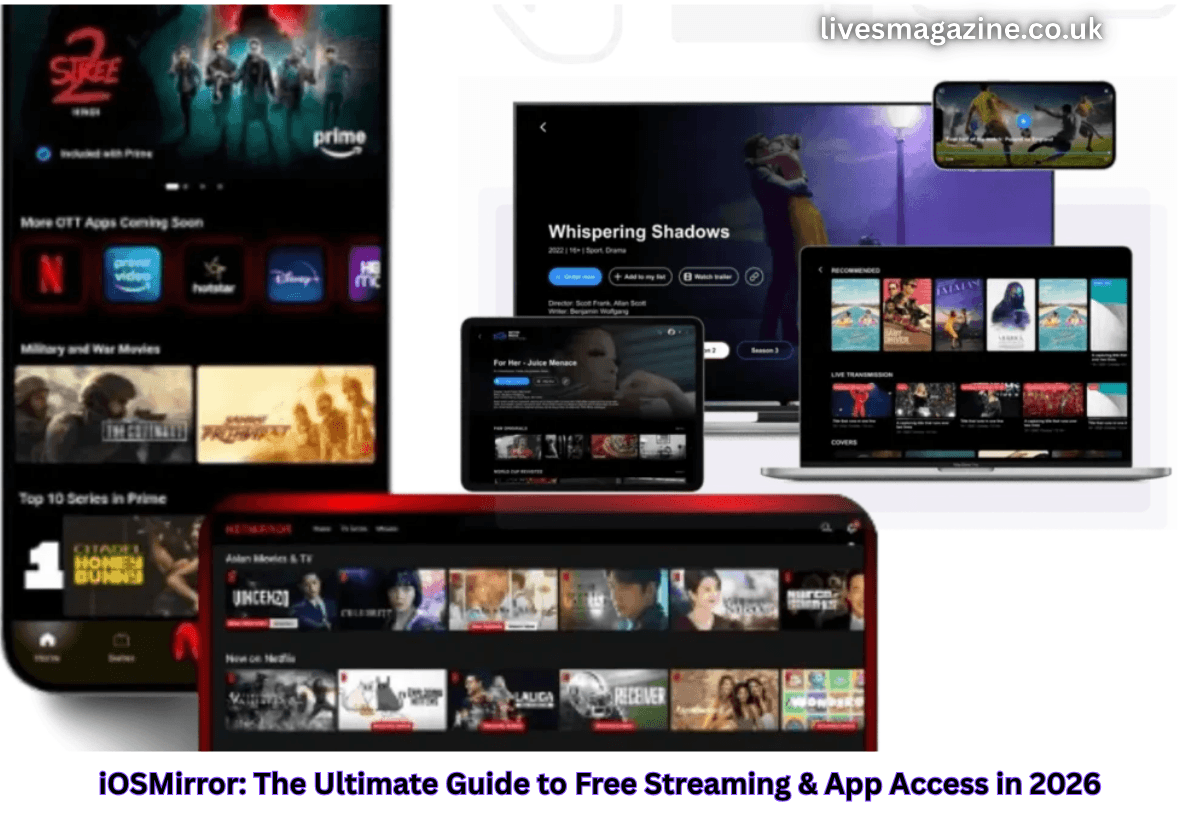
What Is iOSMirror?
At its core, iOSMirror refers to a category of third‑party streaming and app access services that claim to let users stream content (movies, TV shows, OTT libraries like Netflix or Prime Video) and install apps on their iPhone or iPad without going through the official Apple App Store.
Several domains use this branding — for example:
- iosmirror.cc
- iosmirror.in
- netmirro.com
These domains sometimes offer different functions but display similar promises around free access to premium content and apps.
Some versions position iOSMirror as a progressive web app (PWA) that you can add to your iOS home screen via Safari, providing a near‑app experience without installation.
How iOSMirror & Related Platforms Work
1. Progressive Web App (PWA) Approach
Some iOSMirror sites are built as web‑based apps that run in the browser and can be added to your iPhone’s home screen — similar to shortcuts. This uses web technologies that mimic native app behavior (without going through the App Store).
Example steps:
- Open Safari on your iPhone or iPad.
- Visit the iOSMirror domain (e.g., iosmirror.cc).
- Tap the Share icon → Add to Home Screen.
- Use it like a regular app.
This approach avoids risky APKs or configuration profiles and does not require jailbreaking.
2. WebView or Embedding Tools
Some versions may use an embedded webview or streaming engine to display content from various sources — but these are still generally not official and may involve hidden links, redirects, or unverified content sources.
3. Enterprise Certificates or Configuration Profiles
In some cases (particularly with NetMirror-style installers), iOSMirror sites require installing an enterprise profile on your device. While Apple allows such distribution for internal corporate apps, it can be misused to sideload unverified apps outside the official App Store.
Key Features Promoted by iOSMirror‑style Services
Across various platforms using the “iOSMirror” name (including clones):
- Free access to content and apps, sometimes claiming access to Netflix, Prime Video, Disney+, etc.
- No subscription needed to stream or use apps (claim).
- Ad‑free playback on some interfaces (claim).
- Add to home screen functionality for quick access.
- Cross‑device support via browser for iPhone, iPad, PC, or Android (varies by domain).
However — and this is critical — almost none of these features are official, licensed, or verified by Apple or any legitimate OTT provider.
Is iOSMirror Safe? Security & Privacy Concerns
Safety is one of the most important considerations when dealing with third‑party services like iOSMirror:
Security Risks
- Some scanners rate iosmirror.cc as low‑trust or questionable, with trust scores below industry norms.
- Even platforms with valid SSL certificates can still be unsafe because SSL only protects data transmission — it does not confirm content legitimacy.
- Unverified content sources and installer methods can expose users to malware, spyware, and intrusive ads.
Privacy Concerns
Some users report aggressive pop‑ups, data harvesting scripts, and tracking cookies. These can collect browsing behavior, device info, or personal data without clear consent.
Device Vulnerabilities
Installing enterprise certificates or sideloaded profiles can weaken iOS’s built‑in protections, opening pathways for malicious code.
Legal Implications
Many iOSMirror‑style sites claim to provide access to popular OTT libraries without subscriptions — essentially bypassing licensing checks. This means users may inadvertently engage in copyright infringement, which is illegal in many countries.
Is iOSMirror Legal? The Copyright Perspective
From a legal standpoint:
- If a service provides unlicensed access to copyrighted streaming content, it is generally considered unauthorized and illegal in many jurisdictions.
- Apple and major OTT platforms enforce licensing rights, and any bypass violates those agreements.
- While occasional dragging of enforcement against end users is rare, using or promoting these services can expose you to legal risk and ISP warnings.
Important: There is no official endorsement from Apple, Netflix, Disney+, or similar services for any iOSMirror domain.
Common Misconceptions About iOSMirror
Myth 1: “It’s like the App Store — but free.”
Reality: The App Store undergoes strict security and legal review. iOSMirror sites do not, which is why many are flagged as high‑risk by security scanners.
Myth 2: “No need to pay for Netflix or Prime.”
Reality: Any site claiming to deliver premium OTT content without a paid subscription is almost certainly violating copyright rules and may not be reliable or legal.
Myth 3: “It’s safe if it has a valid SSL certificate.”
Reality: SSL (HTTPS) only secures the connection; it does not guarantee legitimacy or trustworthiness. Scammers often use SSL.
User Experience: What Real Users Say
Community feedback (e.g., Reddit threads) shows mixed results:
✔ Sometimes works intermittently: Users report the site being temporarily unavailable or blank — often due to domain changes or blocks.
✔ VPN often suggested: Some rely on VPNs to access these sites when blocked regionally.
✘ Not found on official stores: iOSMirror isn’t available in the Apple App Store, so installation can be confusing.
These community insights echo the broader reality: these sites are unstable, often rely on mirrors or alternate URLs, and can disappear anytime.
Safer and Legal Alternatives to iOSMirror
If your goal is to access movies, series, and apps legally and safely, here are recommended options:
Official Free Streaming Platforms
- Tubi TV: Free, ad‑supported movies and shows.
- Pluto TV: Live TV and on‑demand content.
- Crackle: Full‑length movies and classic shows.
These platforms are legitimate, ad‑supported services that don’t require risky downloads or bypassing official protocols.
Official OTT Subscriptions
- Netflix
- Disney+ Hotstar
- Amazon Prime Video
Subscribing ensures reliable, high‑quality content with official protection and support.
Screen Mirroring Tools (Legal)
If your goal is simply to share content from your iPhone to a bigger screen:
- AirPlay: Secure, Apple‑native casting to Apple TV or compatible smart TVs.
- Chromecast: Cast from iPhone apps that support Chromecast.
These tools use official protocols and don’t involve copyright violations or risky sideloading.
Tips for Safe Streaming & App Access
If you still explore services like iOSMirror (with caution), follow these safety tips:
- Avoid entering personal or payment info.
- Do not install unknown profiles unless absolutely necessary.
- Use a reputable VPN for privacy (not to facilitate illegal content).
- Keep your device up to date with official security patches.
- Consider official apps whenever possible — they’re safer, legal, and more reliable.
Conclusion: Is iOSMirror Worth It in 2026?
iOSMirror has become a buzzword among users seeking free streaming and app access on iPhone and iPad. While the concept of accessing premium content without subscriptions is attractive, the reality is murky. Most iOSMirror domains operate without official support, often skirt copyright rules, and can expose users to privacy and security risks.
If your priority is safety, legality, and long‑term reliability, sticking with legitimate streaming services and official app stores is the smart choice. Unofficial alternatives may offer short‑term convenience, but they come with real drawbacks that can outweigh the benefits.
FAQs (Frequently Asked Questions)
Q1: Is iOSMirror safe to use?
A: Security experts rate many iOSMirror domains as medium to low trust, with a mixture of safe and questionable signals. Some risk malware or privacy issues.
Q2: Do I need to jailbreak my iPhone to use iOSMirror?
A: Most web‑based versions do not require jailbreaking — but installing enterprise profiles often does carry risk.
Q3: Is streaming content through iOSMirror legal?
A: No. Accessing unlicensed content is generally considered copyright infringement in most countries.
Q4: Can I screen mirror content from iOSMirror to a TV?
A: Yes — if you use legal screen‑mirroring tools like AirPlay or Chromecast.
Q5: Are there legal free OTT options?
A: Yes — platforms like Tubi, Pluto TV, and Crackle offer legitimate free content with ads.
Read About:- Posmyway Explained